Keep your place in every knitting and crochet pattern.

Open the PDF, photo or book page you already have. Mark your size once, then count rows from the pattern or your Lock Screen while your hands stay on the yarn.

One email at launch. No spam, and you can leave any time.

Try the counter. The band moves with each row, the way it will in the app.

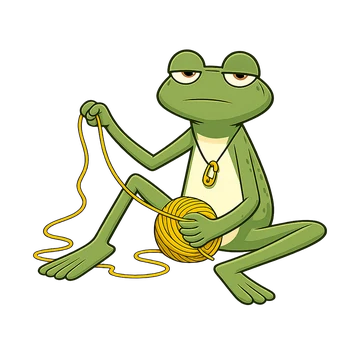
Tink the Frog sitting on the floor, pulling yarn out of a mustard ball: frogging.

No account neededYour patterns stay on your phoneComing this winter to iPhone and Android

Where a pattern trips you up

  • Where was I?

    You put the project down and the sticky note has slipped. Or the PDF jumped back to page one.

  • Sizes in brackets

    S (M, L, XL) means every number in the pattern comes in four versions, and only one of them is yours.

  • dc or dc?

    In a US pattern dc is double crochet. In a UK pattern it is a much shorter stitch, and the pattern doesn't always say which terms it uses.

How it works

  1. Row 1

    Open your pattern

    A PDF, a photo of a book page, a screenshot or a web page saved whole. From Files, Google Drive or the share sheet.

  2. Row 2

    Mark your size

    Pick your size once per project and the numbers you need stand out on the page.

  3. Row 3

    Count and keep your place

    The row ruler moves with every count. Put the project away, come back next week, and you're on the same row.

What the app will do

Row ruler and focus mode
The row you're on stays bright and the rest of the page dims.
Counters for repeats
Rows inside repeats inside pieces, with a reminder for the “at the same time” parts.
Count from the Lock Screen
Add a row without unlocking your phone. On Android, from the notification.
Apple Watch (coming soon)
Count from your wrist, even when the phone is in the other room.
Tap an abbreviation
See what it means in your language, in US or UK crochet terms.
Notes on any row
Write down what you changed, so the second sleeve matches the first.
Project journal and yarn list
Hook, needles, yarn and dye lot for every project, and a photo when it's done.
Free backup and restore
Through your own iCloud or Google Drive. Restoring is always free, also on a new phone.
We never change, upload or share your pattern.

  • No AI ever touches your patterns.
  • Your marks and notes are a separate layer. The file stays exactly as the designer made it.
  • Patterns stay on your device and in your own backup. There is no account and no copy on our servers.
  • Designer names, copyright lines and links stay where they are.

Look up US and UK crochet terms, free

Type an abbreviation from your pattern and see the same stitch in the other system, and in German.

Open the term translator

Next: hook and needle sizes, a yarn weight table and a knitting calculator.

What it costs

Free: everything you need for the project you're making. Premium comes with a 14-day free trial on the yearly plan, and you can cancel any time before it ends.

Free

3 active projects at a time, forever

  • 10 new patterns a week
  • Row ruler, highlighter, notes and focus mode
  • Unlimited counters with undo, reminders and a timer
  • Manual size highlight and chart band
  • Lock Screen counter, glossary and an unlimited yarn list
  • Backup, restore and full export, also on a new phone

Premium

14-day free trial on the yearly plan

  • Unlimited active projects
  • Unlimited imports, also whole folders at once
  • Automatic size highlight and row finding
  • Nested repeats and second-piece mode
  • Home Screen widgets, Siri and Shortcuts, Apple Watch (coming soon)
  • Sync between your devices
  • Drawing, pins, themes and a journal PDF
  • Priority support and Family Sharing
Monthly
$3.99 a month
Yearly
$24.99 a year
Lifetime
$49.99 once

The lifetime launch price is $49.99 until March 31, 2027, then $69.99. Prices in the stores may differ by country.

Nothing is ever taken away. A feature that is free stays free for you, and if you buy lifetime, it lasts as long as the app does.

Before you sign up

Does it come with patterns?

No. It opens the patterns you already have: PDFs you bought, free patterns saved from the web, photos of book pages. We don't sell patterns and we never make them.

My pattern uses UK terms. Does that work?

Yes. You choose US or UK terms once. Every stitch name in the app says which system it uses, and tapping an abbreviation shows both.

Do I need an account?

No. Your projects live on your phone and back up to your own iCloud or Google Drive.

Which languages?

English, German, Japanese, Norwegian, Swedish, Danish, French, Dutch, Spanish, Italian, Portuguese (Brazil) and Polish, each with its own crochet and knitting glossary.

When does it launch?

This winter, on iPhone and Android. Join the waitlist and we'll tell you on launch day.

Why the name FrogTink?

It comes from two words makers use. To frog is to rip out rows (rip it, rip it, like a frog). To tink is to undo stitch by stitch, because tink is knit spelled backwards. Keeping your place means you do less of both.

Be there on launch day

One email when the app is out, in your language.

One email at launch. No spam, and you can leave any time.

Become a founding maker

We're looking for 30 crocheters and knitters to use the app with their real projects for two weeks before launch. Use it on 10 of the 14 days, tell us what works and what doesn't, and Premium is yours for life.

Apply as a founding maker